How to Find Youtube Channel-Id (With Picture)
How to find Your Youtube Channel_id
There are many Use of Youtube Channel-id Like making a Subscription button.
- This is so simple Let's do
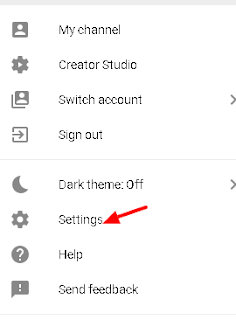
- Go to Youtube and Click on Setting
- Then Click on Advanced

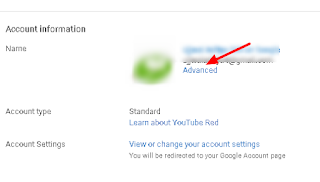
- Then You find Your Channel-id

- This is so simple Let's do
- Go to Youtube and Click on Setting
- Then Click on Advanced
- Then You find Your Channel-id


If You Find this article Helpful Then Share it On Socialmedias with your Friends.
Labels: Subscribe Button, YouTube-tricks
posted by Aditya Kumar @ March 16, 2018
0 Comments


0 Comments:
Post a Comment
Subscribe to Post Comments [Atom]
<< Home