Saturday, 22 December 2018

How to add alt text in Instagram images

How to add alt text on Instagram images?

Instagram the popular photo sharing social media platform where every day day we share photos and videos after realising the IG tv as an alternative of Youtube.
It aims to get number one position. Here we use hashtags # with related our upload content to get more views, Like and comments.

How to make money from your Instagram?
You can increase the views on your uploaded picture by adding alt text in them.

What is alt text?
According to Wikipedia a we alt text is
The alt attribute is the HTML attribute used in HTML and XHTML documents to specify alternative text (alt text) that is to be rendered when the element to which it is applied cannot be rendered.

The alt attribute is used by "screen reader" software so that a person who is listening to the content of a webpage (for instance, a person who is blind) can interact with this element. Every image should have an alt attribute to be accessible, but it need not contain text.

So how to add alt text on Instagram pictures?

Open your Instagram using app or website (using brave browser). And upload your favorite pic to Instagram, basically Instagram automatically add alt text in your uploaded photos.  But it is better to add your own alt text which help to  get better result of your uploaded picture.

Open your Instagram application
Click on the + icon
Instagram,blogger, SEO,alt-text
Select the picture from your gallery or capture one using your camera.
Upload it
Write about the picture use proper hashtags ‘#’ and tag your friends who are in picture
Click on advance setting button (which is in last option)
Here you find add alt text button and click the button and add the desired text.

Now it's time to share it.

The above conditions work when you upload a new pictures.

Can we add alt text in previously uploaded picture?
Yes, we can also add alt text in previously uploaded picture by following these steps⬇️⬇️⬇️

Choose the picture from your uploaded library in which you want to add alt text.

Click on three dots button on the left corner
And click on edit after choosing you will see an alt text button there.

So click on them and add your desire alt text.

New SEO software tool

Now it's your turn start sharing this post with your friends and family and also Connect with us on Instagram

Labels: , ,

Tuesday, 18 December 2018

Update your readers with your content update using whatsnew

Have you noticed anything new in our blog if not then try again to find something new in the blog. Didn't find?


we have added an awesome tool in our blog which helps you to find what is the update we made here.

Whatsnew is a free and awesome tool for blogger who wants more traffic and update their reader from new post.

When you find an awesome on any blog you start to read after reading many reader left the blog or move to next article.

But when you try to leave the blog you find a notification with updated post or new article.
This is the magic of what's new tool you have to only paste some lines of javascript  code in blog.
And it will scan your blog and whenever a reader again come in blog then whatsnew shows notification what he/she missed?

This is a free tool without any ads or a premium version this tool helps your blog by decreasing bounce rate and it helps in your SEO.

So how to set whatsnew in your blog?
Go to whatsnew.io and login using your Twitter or Google account.

After login copy you blog’s feed so that you can add it in whatsnew.
And click on create new feed and enter the name of feed and feed URL
Upadted,ujjwaladitya,Seo,blog

Now copy the JavaScript  code and paste in blog’s template before </body> tag and update your reader with your blog update.

They also provide you page analytics
pageviews, widget views (not every page view loads the widget) and total clicks. 


Why are you waiting join the whats new and add it in your blog.


Labels: , , ,

Monday, 17 December 2018

Win a MacBook Pro with Semrush

Are you a blogger and running back blog with good amount of traffic then it's time to check yourself and earn apple Macbook pro.
Yes you will earn just using your blogging talent.

This is the biggest blogging contest launch by Semrush a popular blogging SEO tool that help us to gain traffic and make a fixed position in Google's search.

It's so simple to participate but it's not simple to become a winner.

This contest is launched by Semrush India for Indian digital marketers, growth hacker, viral content writer, Saas and e-commerce owner and for blogger.

Chose the your favorite topic from the list and write an article and promote it like crazy. And get a chance to win MacBook pro.
You are free to use is your social Media tectic to promote. Your content.
You have to submit your article before 15th January 2019 and your article is written after 15 November 2018.
The post must be unique, copyrighted, and at least 1,000 words long.
Under the headline, you must include the following at the start of the article:
“This article was written as part of the SEMrush Big Blogging Contest”.
The link to this page must be intact.
You must link to at least one article on the SEMrush blog.

The conditions you must have to follow....

You are an Indian if you're not then this contest is not for you. Your website or blog get at least 3,000 visitors a month.


Harsh Agrawal
Blog Scientist & Pro-Blogger
Chad Pollitt
Co-founder of Relevance
Dawn Anderson
Director of Move It Marketing
Craig Campbell
Regular speaker at SEO events
Malhar Barai
Head of Marketing, HiTech Vertical
Nitin Manchanda
Global Head of SEO at Trivago

Prizes
1st Prize: Macbook Pro
2nd Prize: SEMrush Guru Subscription for 12 Months
3rd Prize: SEMrush Guru Subscription for 6 Month
Additional Prizes
Free Entry to 3 SEMrush meetups of your choice in any city across India.
Honorable mention on Semrush Content Club India webinar.


Use this link to join the contest.

If you haven't a Semrush account then create one using this link and get 7days free Semrush guru.


SEMrush

Labels: , , ,

Saturday, 1 December 2018

How to redirect all traffic of your blogger blog to another blog

Blogger,Seo,traffic,url
Running a blog on blogger.com aka blogspot is so easy but when you upgrade your blog by changing your CMS platform or setup a domain name with your blogspot blog.

You have upgrade your blog what will happen with your old blog? Want to delete it or get some traffic from it. If your old blog is alive and gives you a lot of backlinks then it help your new blog to getting rank faster in search engine.


If you decided to delete your old blog then you miss a lot of traffic from your blogger blog.


So what I do?

You should redirect your old blogger blog to your site or another url (where you want to send these traffic). But blogger custom redirect feature give you only 10 redirect and you don't redirect your home page.


So you have to paste some codes in your blog. And this is the code you can paste on your blogger's theme after <head> section.

<meta content='#;url=https://www.ujjwaladitya.blogspot.com' http-equiv='refresh'/>

This is an exam link whose all traffic is redirected to another blog. Check it.

Note :- Here # denotes the time in second. That means your site will redirect after # second to the url which you paste in the code. Change #=0 if you want fully redirect your blog.

So use this trick and get some traffic from your blog. If you have any questions please feel free to ask in comment section!


Labels: , ,

Wednesday, 21 November 2018

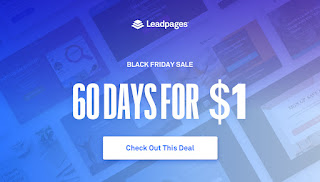
Leadpages 2 month subscription only at 1$

 Get two month only at 1$
Creating a good landing page for your blog, an e-commerce website is a tough work. It takes a lot of time to make a landing page. Because your only Moto behind the creating an awesome landing page is getting conversation.
Yes, conversation in the form of download your application, selling your goods, get the email for making an email list and Many other purposes.

I found Leadpages an easy and professional landing page creator tool for any type of website or blogs. I had made some landing page using Leadpages.

This awesome tool helps you in making quality landing pages without using Code.

But why leadpages it?

There are many cool features are available on Leadpages so you don't reject it.


1.Easy to start

Don't know how to code You can also create a landing page using Leadpages within 10 minutes. Signup using this link and get two months pack only @ 1$.

2. A/B Testing

Easily fine-tune your campaigns for maximum impact by testing multiple versions side-by-side so you can keep what's working and ditch what doesn't

3.Custom & Hidden Form Fields

Track and pass along any data you desire to your email service or CRM through hidden form fields.

4.Sub Accounts

Stay organized and share access with your team or clients by setting up sub accounts linked to your main account.

5.Lead Notifications

Don't have an email service yet? Set up lead notifications to get new leads' data sent straight to your inbox.

6.HTML Editing

Know how to code? Go beyond your favorite templates by adding your own HTML widgets to a page.

7.Ultra-Fast Hosting

Experience industry-leading response times with Leadpages hosting on the subdomain of your choice.

8.WordPress Plugin

Install the Leadpages WordPress plugin and publish any page to your WordPress site with just a few clicks.

9.SEO-Friendly Pages

Optimize your page for organic search with easy-to-edit metadata fields and a wide range of SEO-friendly templates.

10.Dedicated Support

Have a problem get  technical support from specialists are there to help you every step of the way via email, chat, or phone.

11.Major Email Service Integrations

Easily link your favorite email marketing account—whether you use MailChimp, Drip, or a host of others.

12.Automatic Pixel Placement

Leadpages place Facebook's tracking pixel on your landing pages for you, so it's easy to retarget, and access accurate answers to your analytics curiosities.

13.Mobile-Friendly Templates
Delight your audiences with sleek digital designs that seamlessly adapt to all their favorite connected devices.


14.Built-in Payments
Drop a checkout on any landing page or pop-up for quick upsells and seamless conversions and right when your lead is itching to buy.

15.Mobile-Friendly Templates
Delight your audiences with sleek digital designs that seamlessly adapt to all their favorite connected devices.


16.Easy Customization
Fearlessly customize all your own templates—no need to hire designers or developer. Simply DIY and get it done.


And the last but not least this awesome offer.

Linux VPS Hosting | RoseHosting.com

Labels: , ,