how to download any video from YouTube in any mobile without any app? and why not use youtube's offline mode.?
1) First go to youtube.
2) click here
 to go right from here.
3) Now search that video which you want to download.
4) Now go to video URL.
5) In the URL you will see that i choose this link https://www.youtube.com/watch?v=PzElgYpDmtw link is given.
6) Now just add ss before YouTube.
Ex- https://www.ssyoutube.com/watch?v=PzElgYpDmtw/video link

7)Now a new web page (Save from net) will be open.

8) Now download your video in any quality you want.
 and second method is copy the video url

t note:- if you download video in the form of
offline mode then you should know about that you
can'T download the video you have download the catches
which is valid for 24 hour and after 24 hour
you have sync
your data .
if you not do it then the video is not play again.
2) click here

3) Now search that video which you want to download.
4) Now go to video URL.
5) In the URL you will see that i choose this link https://www.youtube.com/watch?v=PzElgYpDmtw link is given.
6) Now just add ss before YouTube.
Ex- https://www.ssyoutube.com/watch?v=PzElgYpDmtw/video link

7)Now a new web page (Save from net) will be open.

8) Now download your video in any quality you want.

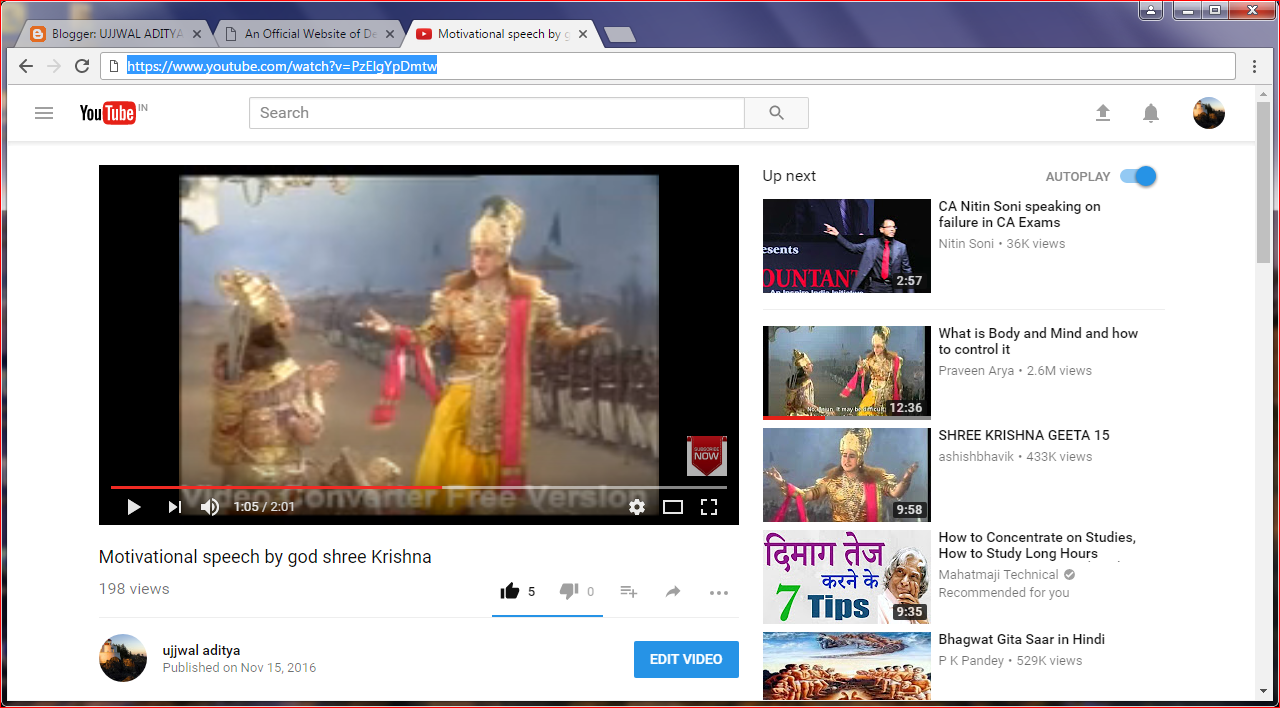
and paste it on savefrom.net Thanks for reading
t note:- if you download video in the form of
offline mode then you should know about that you
can'T download the video you have download the catches
which is valid for 24 hour and after 24 hour
you have sync
your data .
if you not do it then the video is not play again.
Labels: gadget news, social sites, the tech news, the news
posted by Land Registration By Praneet @ May 10, 2017
6 Comments


6 Comments:
GREAT NEWS
Hoooo this is why my youtube video not play after 24 hour
Thanks for tips
Welcomd
Awesome post.
Post a Comment
Subscribe to Post Comments [Atom]
<< Home